Thursday, May 23, 2013

Appliqued Throw Pillows

I've been busy this week sewing throw pillows for my entryway bench.  I wanted pillows with fun colors, designs and texture.  The green pillow has a reverse applique of a repeating pattern, and the blue one has just a regular applique of a pretty flourish.  Best part is, I cut the designs with my Cameo!  I'll admit, I thought I was going to have a "craft fail" on my hands trying to cut such detailed designs on fabric, but that machine never ceases to amaze me!  It worked great!


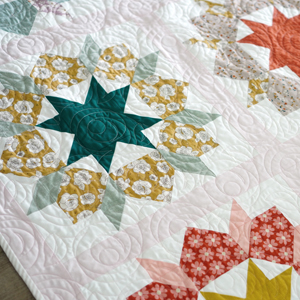
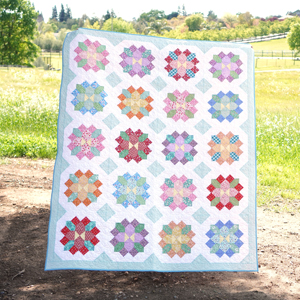
I think the reverse applique looks so neat.  Wouldn't this technique make amazing quilt squares?!


Look at that detail!


I used both the sewable and clean cut Silhouette interfacing for this project.  Right now you can get some great bundles from Silhouette that include both types of interfacing and some other goodies.  The bundles include:
  1. 1 of each fabric interfacing, 1 fabric blade, 1 $25 download card: $29.99
  2. 1 Silhouette Portrait™, 1 of each fabric interfacing, 1 fabric blade, 1 $25 download card: $129.99
  3. 1 Silhouette CAMEO®, 1 of each fabric interfacing, 1 fabric blade, 1 12x24 cutting mat: $269.99
To get the special prices you must click HERE to get to the page for the promotion and use code CUTESY at checkout.


Now on to the tutorial!  The pillow forms I used were 18", and I used 1/2" seams throughout.  For the reverse applique pillow, cut four 11" squares out of your fabric.


Iron sewable interfacing onto the back of each square and peel off the paper backing.


I created this design myself, especially for this project.  You can get it for free here.  (You won't be able to see a preview of the image, but you should still be able to download it.  Email me if you have any problems.)  Center the design onto the 11" x 11" piece of fabric.  It doesn't need to be perfect because you will be trimming it down once the cutting is done.


Trim each of the squares 1" from the edge of the design.


 You should end up with 10" squares.  Measure before you cut just to be sure!


Cut out four 10" squares of a contrasting fabric (I used a natural linen).  So you should now have four squares with a design and four plain squares.


Iron your plain squares onto the backs of your design squares.


Now sew around each of the cutout parts on all four of your squares.  This part takes forever, but the look is worth it!


Pin and sew two of your squares, right sides together, with a 1/2" seam.  Do the same with the other two, and then sew them all together.  Iron all of your seams flat. When you are done, you should have a 19" square that will be the front of your pillow.


The blue throw pillow was much easier.  I really liked this swirly flourish from the Silhouette online store, so I made it as big as I could with my 12" cutting mat.  This time I used the clean cut interfacing so I wouldn't have to do any sewing.  I just ironed it onto the back of some natural colored linen, peeled of the paper backing, and ironed it onto my 19" square for the front of my pillow.  Since the fabric was linen, I used the settings to cut fabric, but slowed down the blade a bit, and put the blade depth to 4.  It cut beautifully!


For the backs of the pillows, you will need another 19" square and a 15" square to make the cording.  At this point, you can look up how to make a throw pillow with cording, or you can check out the tutorial that I will be posting here soon.  Until then, here's a little sneak peak at all of the pillows that I made.


Cutesy Crafts is an affiliate of Silhouette America and will receive a commission if my promo code is used. As part of Silhouette's promotion, I was given a free product to use. All opinions are my own. To read my full disclosures click here.


Like what you see? Don't miss a post, click here to subscribe!

Monday, May 20, 2013

So You Think You're Crafty

Hi everyone!  Just popping in to tell you that I'm auditioning for So You Think You're Crafty this week!  It's a 10 week craft competition with a new theme each week.  The winner of each round makes a tutorial, and the loser "goes home."  Fun!  I can't tell you which project is mine, but I can tell you that it's awesome! :)  So go on over, vote for your favorites, and see if you can tell which one is mine.  After the results are in, I'll be sharing my project here.


Like what you see? Don't miss a post, click here to subscribe!

Friday, May 17, 2013

Kitchen Crafts - Chicken & Spinach Pasta Bake

A couple nights ago I made this Chicken & Spinach Pasta Bake for dinner.  I'm adding it to my dinner rotation because it was so good!  After much persuasion to "at least try it," the kids even decided they liked it.  Score!


It was really easy to make too!  I didn't change a thing, so check out the recipe here on Saving Money & Living Life.  Got a recipe that you think I will like?  I'd love to hear from you!


Like what you see? Don't miss a post, click here to subscribe!

Wednesday, May 15, 2013

Garden Signs

After building our raised garden bed, we had some leftover pieces of fence pickets that we used for the sides.  What to do?  Make some signs for the garden!  For Mother's day, I made my mom one that says "flower garden." 


 I made a simple one for myself that says "garden" in a lighter grey vinyl.


I wouldn't use fence pickets for anything that you want to have a nice, smooth finish, but it worked great for the rustic look I was going for.  I sanded the boards down a bit to avoid splinters, and applied some coats of of primer and paint.  I sanded the edges again to make it look weathered.  Here's how it looks in my garden. Look, stuff is actually growing!  Side note: If you are looking for a way to keep the neighborhood cats out of the garden, chicken wire with holes cut in it for the plants works great.


I cut out the letters for the signs with my Silhouette Cameo of course.  It's seriously my favorite crafting tool!  (By the way, the Silhouette chipboard promo ends today). It can cut any font that you have installed on your computer.  I just discovered the awesomeness of downloading free fonts from dafont.com (I am not affiliated with them in any way).  It's not just word fonts that you can download either!  They have a lot of "dingbat" fonts with different shapes that you can use to cut on your Silhouette.  The flourishes that I used on these signs were from the font Soft Ornaments Three.  In case you don't know how to install your downloaded font, I will briefly show you how.  Just do a search for your "fonts" folder.


Open the folder, and just click and drag your new font file (the one with the TT on it) and drop it into your "fonts" folder.  Now you can use the font on any program on your computer!


One last thing, make sure to varnish your signs with an outdoor clear varnish to protect it.  I got mine in a small bottle at the craft store.  A couple coats, and you are good to go!


Like what you see? Don't miss a post, click here to subscribe!

Sunday, May 12, 2013

Happy Mother's Day!

Joe asked me what I wanted for breakfast in bed this mother's day. :)


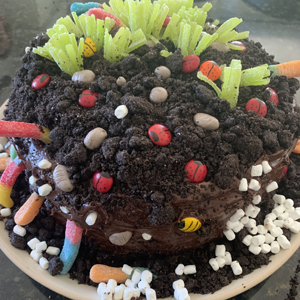
Almost as bad as the birthday cake he made for me a few years ago.


I think I have a problem! Oh well, happy Mother's Day!  Did you get breakfast in bed?


Like what you see? Don't miss a post, click here to subscribe!

Wednesday, May 8, 2013

Chipboard Earrings

Did you know that Silhouette sells chipboard?  What is chipboard, you ask?  It's a very lightweight cardboard that you can use to make boxes, tags, cards, etc.  I decided to think outside of the box (wink wink... get it... because I'm not making a box) and make earrings out of the chipboard!


You read that right, these are made of chipboard!  Evan my husband was amazed when he saw what I made them out of.


Silhouette is having a great promotion for their machines bundled with chipboard, dust covers, and download cards!  Awesome!  Want to be your mom's favorite child?  Buy her one of these for mother's day!   :)  Here are the bundles you can get:
  1. 1 Silhouette CAMEO®, 1 pack of chipboard, 1 natural dust cover, 1 $25 download card: $269.99
  2. 1 Silhouette Portrait™, 1 pack of chipboard, 1 grey dust cover, 1 $25 download card: $129.99
  3. 1 pack of chipboard, 1 $25 download card: $19.99
To get the special prices, click this link here that will take you to the special page for the promotion and use code CUTESY at checkout.  Promotion ends May 15th.

Now on to the tutorial!  Open up the shapes in Silhouette Studio and size them to 1.5 inches.  You can, of course, make them bigger or smaller.

Shapes used:
Flower Lace Filigree
Round Spanish Lace


Change your cut settings to chipboard.  Notice that this will make your machine do a double cut.


I was a little worried that the small details wouldn't come out, but the chipboard cut PERFECTLY!  Look at that detail!!!


Put the pieces on a flat, sturdy surface that you don't mind getting dirty.  A piece of thick cardboard works great.  Coat both sides of your shapes with a couple layers of acrylic paint.  Let the paint completely dry on one side before you flip it, and make sure to get all of the edges.


After the paint is dry, the pieces will still be a bit flimsy.  Flatten them out the best you can and apply a thin coat of Dimensional Magic.  This will stiffen the shapes and give the a shiny, glass-like surface.  Try your best not to get it in the cutout parts of the shape.


If you get any of the Dimensional Magic in the cutout parts, take a pin and swirl it around in the middle to clear the area.  You can also use the pin to pop any air bubbles.  The shapes will start to curl up a bit, but don't touch them.  For me, they just flattened out on their own as they dried.  After one side is completely dry, turn the shape over and coat the other side with the Dimensional Magic.


Wait for the second side to dry, add a couple jump rings and some earring hooks, and you are done!  Use some more chipboard to make an earring holder and maybe a pretty box, and you've got a fun gift for a friend!


Cutesy Crafts is an affiliate of Silhouette America and will recieve a comission if my promo code is used.  As part of Silhouette's promotion, I was given a free product to use.  All opinions are my own.  To read my full disclosures click here


Like what you see? Don't miss a post, click here to subscribe!

Friday, May 3, 2013

Kiddie Crafts - "All About Me" Books

One of the mom's from our preschool group had a great idea for mother's day gifts... "All About Me" books.  For the days that we taught preschool, we made things that the kids could put into the books.  I don't have Audrey's final book yet, but I wanted to show you the pages that we made on the days that I taught.  (Sorry about the bad photography... I was in the middle of teaching preschool... enough said.)

Since it was a Mother's Day gift, I thought I would have them answer some questions about their moms.  I found this printable and made my own version.  She came from the store????   Not sure what that's about, Audrey.  One of the kids said her mom is good at doing somersaults.  Hahaha.


I made this page for each of the kids that included all of their family members.


Then I had them cut pictures out of magazines that looked like their family members.  This was fun, and also pretty funny.  Audrey's was surprisingly accurate.


I traced their hands, and we stamped all of their fingerprints.


Apparently Audrey is 3-4 inches taller than all of the other preschoolers.


I also took photos of their profiles and turned them into silhouette cutouts.


And the funniest answer came from one of the boys.  This is a sheet that they did the previous week.  Haha.


The books also included painted handprints and footprints, self portraits, and drawings of their families.  Everything is going to be put into page protectors and slipped into folders.  Something that the mommies can treasure forever!


Like what you see? Don't miss a post, click here to subscribe!
Related Posts Plugin for WordPress, Blogger...